Google Shows Off its Tablet Concept

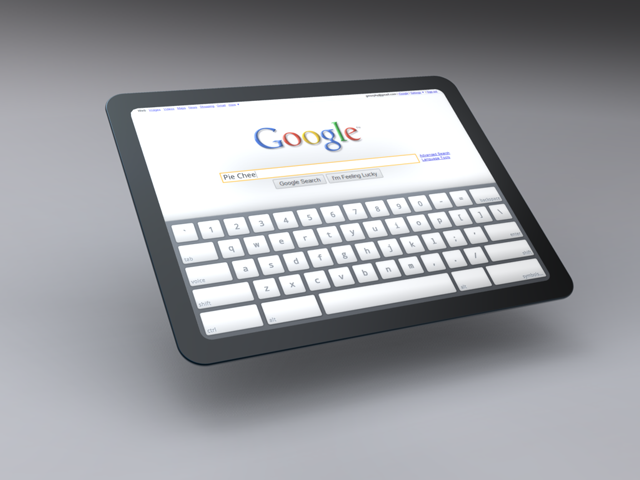
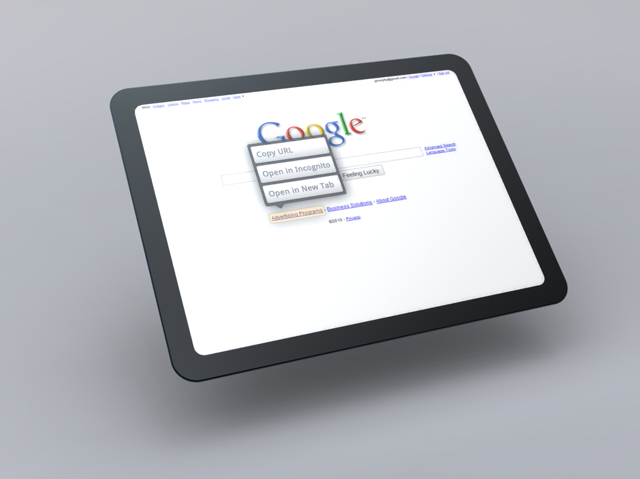
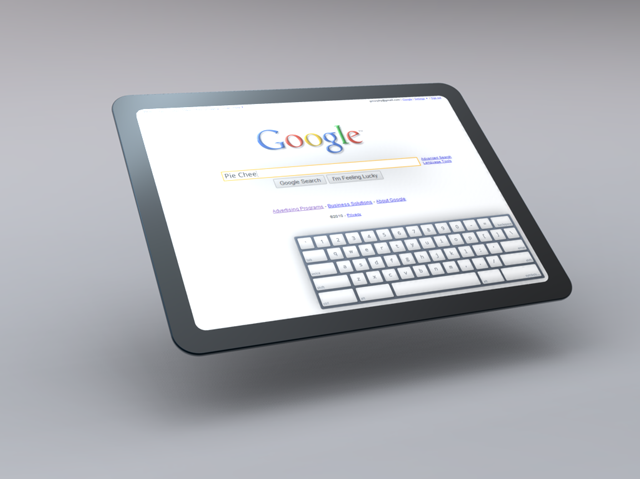
Google shows us a first peek on its official Chromium site what a Chrome OS tablet might look like.

Notice also in the demo the prescence of multi-tasking.

Keep in mind that these only show what a Chrome OS might look like in a tablet and not necessarily on a Google tablet.  But who knows, Google might also be cooking up a surprise for Apple’s iPad.

You can see the latest tablet pictures below and more from the Chromium site here.

Enjoy!

Internet Explorer 8 Officially Becomes World’s Most-Used Browser, Windows 7 Rising

Net Applications had just released their January browser market share report. The report shows that Internet Explorer 8 is not only the most popular browser on Windows (for Windows PCs alone) with 27.9% usage share, but that it now has 22.37% of market share across all OS’s on a worldwide-weighted usage share basis (data provided by Net Applications). Launched just less than a year ago, it must be both humbling and thrilling for MIcrosoft to see so many people choose their product so quickly – making it the most popular browser of choice worldwide.

ie8

Meanwhile, Microsoft wasn’t lying about Windows 7 being the fastest selling OS ever.  January data showed that Windows 7 continues its rise with almost 8% market share from just 5.17% last month.

windows7

Microsoft Chases Windows 7 Battery Drain Problems

Microsoft officials confirmed Friday that they are looking into reports of radically shortened battery life on some laptops after installing Windows 7.

Although a few users reported similar problems during Windows 7's beta test cycle last summer, particularly with some netbooks, wide availability of Microsoft's (NASDAQ: MSFT) new OS following its October consumer release seems to have triggered significantly more cases.

"I upgraded my laptop from XP to Win 7 and my battery life went from about 2 hours to 30 minutes. The system shuts down (hibernates) without any warning. The powercfg-energy report shows the battery stored less than 40% of the Designed Capacity the last time the battery was fully charged," one frustrated user, going by the screen name "dabruton," said in a post on Microsoft's TechNet user forums on Jan. 1.

"The battery life dropped to almost nothing after doing a clean install of windows 7 (it was fine before that, about 1.5-2 hours)," echoed another poster with the screen name "jw98029."

How big the problem has become is unclear at this time. The TechNet forum dedicated to Windows client issues had 100 posts during January alone. Many received a Windows 7 error that said, "consider replacing your battery."

Quite a few complained that their laptop batteries were permanently damaged by the drainage problems after upgrading to Windows 7.

"Good job Microsoft, you just cost me (and almost all windows 7 laptop owners) their battery!! Now what are you going to do!!?" asked one annoyed user with the screen name "DanLee81."

Read More

Unboxing of Microsoft LifeCam VX-700 I recently won on Microsoft Phils. IE8 Trivia Mania! Contest

Yesterday I stopped by Microsoft’s office at the 6750 Bldg. along Ayala Ave. to get my prize LifeCam which I won last January 23.  Further details of the webcam can be found here.  But now I’ll proceed to the unboxing photos.  Thanks Microsoft!

IMAG2596

IMAG2602

IMAG2606

Cool office by the way and staff members including Mr. Ralph Sarmiento were very nice!

Office 2010 Generally Available in June 2010 - Microsoft

The next iteration of the Office System is now approximately five months away Microsoft confirmed to Softpedia. At the start of this week, you were able to read a report on a remark from Microsoft Chief Executive Officer Steve Ballmer, in which the CEO indicated that Office 2010 would be out in only a couple of months. I contacted the Redmond company on the matter and I’ve got a clarification on this topic.

Read More

Free E-book: Windows 7 Resource Kit

Mitch Tulloch, a Microsoft Most Valuable Professional and lead author of the just-published (and hot-selling) Windows 7 Resource Kit (Microsoft Press, 2010; ISBN: 9780735627000; 1760 pages), has created a short e-book called “What You Can Do Before You Call Tech Support.” Here are the opening paragraphs:

Your sound card has stopped working, your computer seems sluggish, the network is down, your hard drive is clicking, you can’t view a website, your monitor is hard to read, your new webcam isn’t working, your favorite program won’t run, and a funny burning smell is coming from your computer. What can you do on your own to try to troubleshoot the issue before you pick up the phone to call tech support?
If you’re running Windows 7, quite a lot. Microsoft has included a lot of self-support tools in Windows 7 that you can try using before you seek the help of others, and we’ll examine these in a moment....

windows 7 e-book


Download XPS Format Here or

Download PDF Format Here

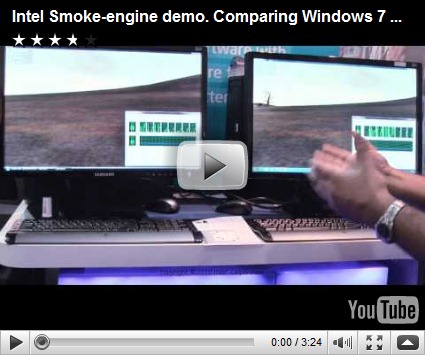
Intel's Smoke Engine Demo: Comparing the Windows 7 Kernel with Windows Vista

See what a difference the new Windows 7 kernel makes compared to Windows Vista. The windows 7 kernel is optimized for use with Intel core microarchitecture not only does it perform faster it also allows you to put a few cores to sleep while maintaining peak performance.